Adding a Subdomain in Plesk Hosting

1. Log in to the Plesk panel.

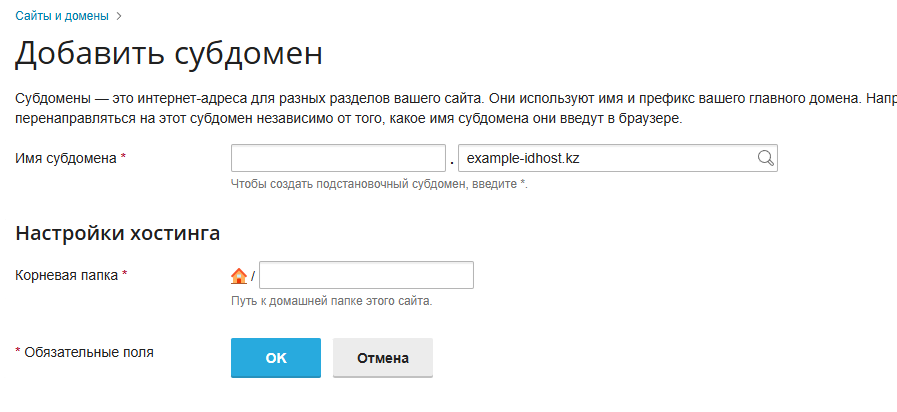
2. To add a subdomain/domain alias, in the «Websites and Domains» section click «Add Subdomain»:


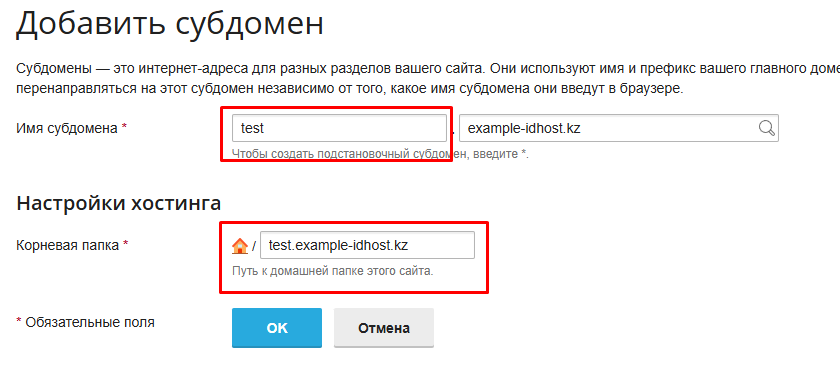
3. Enter the subdomain name and click «OK» (for example, to create test.domain, in the «Subdomain name» field enter only test, then select the main domain on the right).

The «Root directory» field defines where the subdomain files will be uploaded on the server.

By default, the system will automatically suggest a path in this format:
/test.example-idhost.kz
— You can leave this path unchanged, and the folder will be created automatically.

If you want the subdomain to open a site that is already hosted, you may specify an existing server folder instead (for example, «httpdocs/blog»).


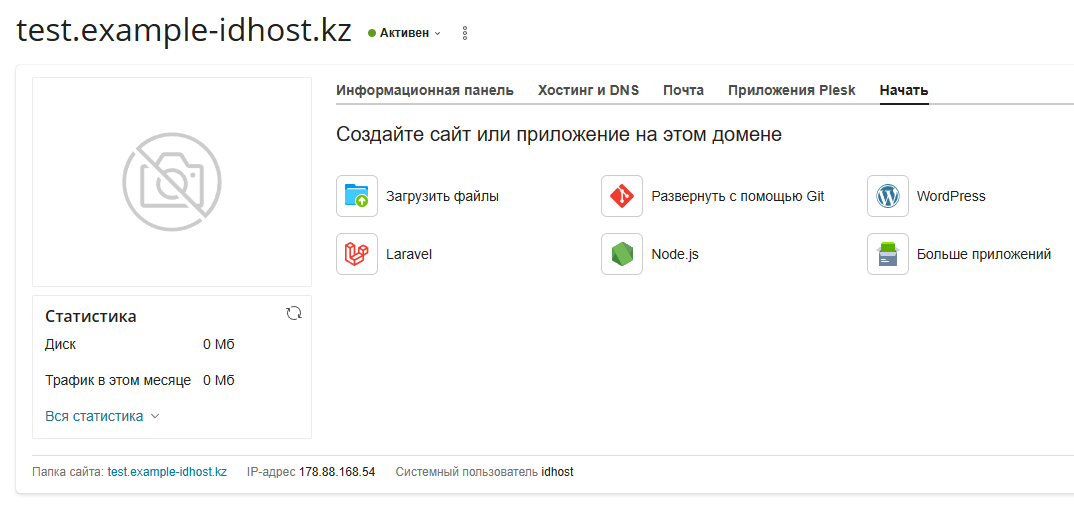
4. The subdomain is created successfully.

  • 5 Users Found This Useful
Was this answer helpful?

Related Articles

SSH access on virtual hosting

Please note that SSH access is not provided on virtual hosting. SSH connectivity is available...

Adding a Domain to Plesk Hosting

1. Log in to the Plesk control panel.2. In the «Websites and Domains» section, click «Add...

Доступ к Веб-статистике

1. Войдите в панель управления хостингом Plesk. 2. Раздел статистики защищен паролем. В разделе...

Параметры соединения с базой данных

Войдите в панель управления хостингом Plesk     2. Перейдите в раздел Базы данных....

Смена пароля почтового ящика

Если вы забыли пароль от почтового ящика или хотите задать новый, выполните следующие действия:...