
-
Log in to the Plesk control panel
-
Go to Websites & Domains
-
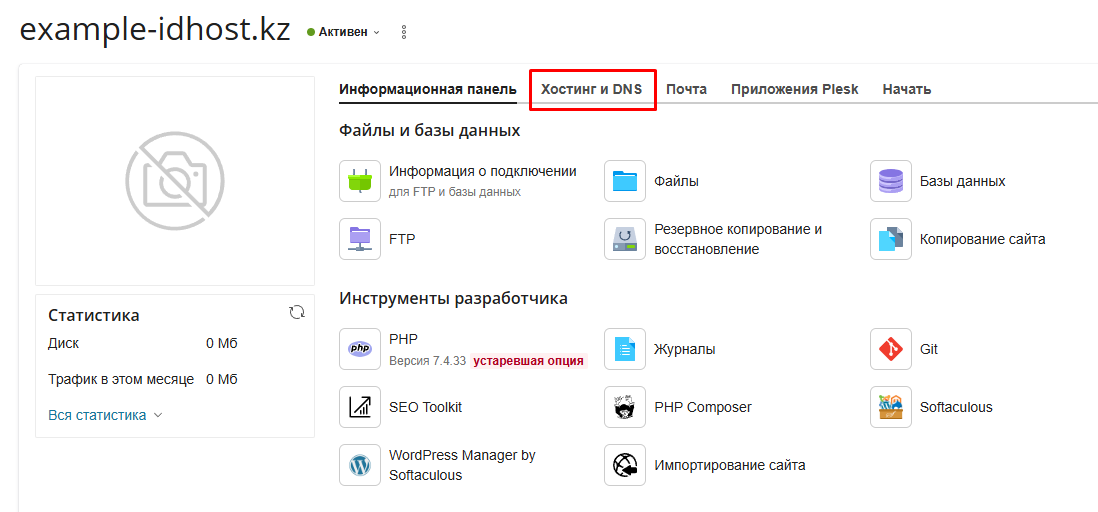
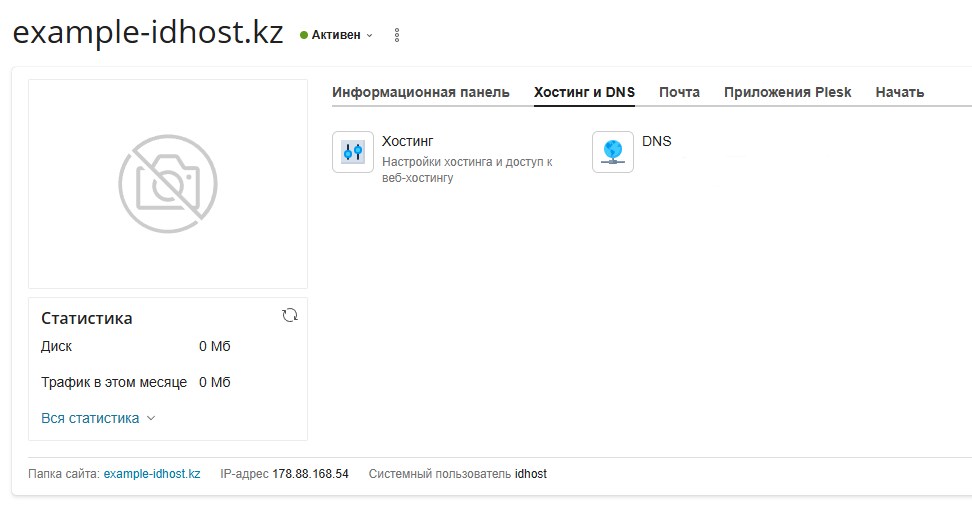
To add or modify DNS records for a subdomain, open the main domain, go to the Hosting & DNS tab, and select DNS
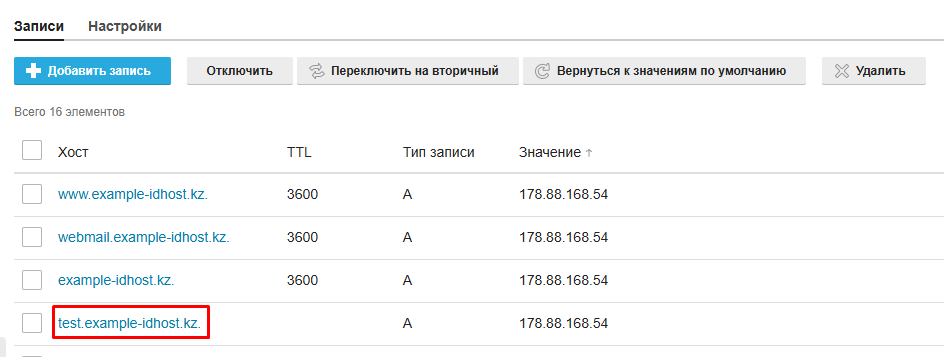
4. Select the required record and click the subdomain name in the Host column to edit it
5. Make the necessary changes
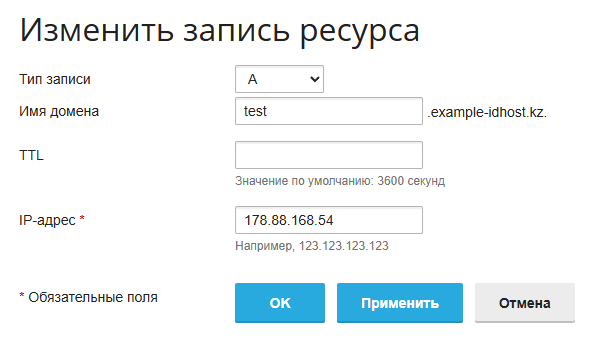
6. Click Update to save the changes.